Low-profile and standard mechanical keyboards can use similar layouts while feeling completely different. Case height, switch travel, keycap shape, front-edge height, typing angle, and the distance between rows all affect how the hands move.
A public r/MechanicalKeyboards discussion began with a user who typed faster and more accurately on a low-profile board after struggling with several standard boards and keycap profiles. Replies pointed to habit, laptop familiarity, tilt, key sculpting, and adaptation time. That variety matters: keyboard height alone does not determine comfort or typing performance.
Quick answer
Choose a low-profile mechanical keyboard when you prefer laptop-like travel, want a lower front edge, carry the board often, and do not need the widest switch and keycap ecosystem. Choose a standard mechanical keyboard when customization, repairability, keycap choice, switch variety, and a deeper typing feel matter more.
Neither format is automatically ergonomic. Desk height, chair height, keyboard angle, wrist position, reach, typing force, and breaks all affect comfort.
| Decision point | Low-profile mechanical | Standard mechanical |
|---|---|---|
| Overall height | Usually lower | Usually taller |
| Key travel | Often shorter | Often longer |
| Laptop familiarity | Usually higher | Larger transition for some users |
| Switch choice | Growing but more limited and less standardized | Broad MX-style ecosystem |
| Keycap choice | More limited and compatibility-sensitive | Wide profile, material, and design selection |
| Portability | Usually lighter and thinner | Often heavier and bulkier |
| Sound | Can be sharper or quieter depending on design | Broad range shaped by case, plate, switches, and caps |
| Repair and modification | Model-specific parts are common | More standardized options, but compatibility still matters |
Height is only the beginning
Buyers often compare a thin board with a tall board and attribute every difference to switch profile. Several dimensions change at once:
- front case height;
- home-row height;
- switch pre-travel and total travel;
- keycap top area and spacing;
- row sculpting;
- case angle and feet;
- plate stiffness;
- actuation force;
- bottom-out feel.
A low-profile board with steep rear feet can create a different wrist position from a flat standard board. A standard board with a low front edge and a negative or neutral setup may feel better than its product photos suggest.
Typing adaptation is real
People develop precise movement patterns around familiar travel and key shape. A laptop user may slide between low keys and make extra errors on tall sculpted caps. A long-time desktop typist may bottom out harshly on shorter travel or trigger adjacent keys.
Do not judge a new profile from a five-minute store test, but do not assume every problem disappears with practice. During a return window, track:
- error rate in normal work;
- missed or accidental presses;
- fatigue after a full day;
- whether the wrists bend upward;
- whether the fingers catch adjacent key edges;
- performance after one and two weeks.
Change one variable at a time. Adding a wrist rest, changing desk height, raising the rear feet, and switching keycaps simultaneously makes it difficult to identify the cause.
Work comfort is a whole workstation question
The Occupational Safety and Health Administration's computer workstation guidance emphasizes neutral postures and workstation adjustment rather than recommending one keyboard category. A thinner board may help some users keep the wrists straighter, but it cannot fix a desk that is too high or a chair without usable support.
Useful checks include:
- shoulders relaxed rather than raised;
- elbows near the body;
- wrists not sharply bent upward or sideways;
- keyboard close enough to avoid reaching;
- mouse at a similar height;
- feet and chair positioned for stable posture;
- regular changes of position and breaks.
Persistent pain, numbness, tingling, or weakness should be evaluated by an appropriate professional. A product swap is not a diagnosis or treatment.
Switch and keycap compatibility
Standard mechanical keyboards commonly use MX-style switches, but socket, pin, plate, firmware, and keycap compatibility still need verification. Low-profile families are less interchangeable. A low-profile switch from one ecosystem may not fit another board, and keycap stem or stabilizer geometry may be proprietary.
Before buying a low-profile board, check:
- exact switch family;
- whether switches are soldered or hot-swappable;
- replacement switch availability;
- compatible keycap sets for the layout;
- stabilizer design on larger keys;
- regional layout availability;
- replacement battery and cable support;
- warranty effect of opening the case.
If the product is used for work every day, a common replacement part may be more valuable than a rare sound signature.
Sound and office use
Low profile does not automatically mean quiet. Sound depends on switch mechanism, spring, keycap, case cavity, plate, desk surface, and typing force. A short-travel switch can still create a sharp bottom-out sound.
For a shared office, test at the listener's position, not only from the typist's chair. Compare normal typing, the spacebar, Enter, Backspace, and stabilizer rattle. A desk mat can change resonance, while silent switches may change feel. Follow workplace expectations instead of relying on a decibel clip recorded with unknown microphone settings.
Layout and portability
Low-profile boards are attractive for hybrid work because they can fit a laptop sleeve more easily. Check whether the layout removes keys used in the actual job. A thin 65% board may create more shortcut layers than an accountant, editor, or developer wants.
Wireless convenience also adds battery, radio, and software questions. Confirm Bluetooth device switching, wired mode, 2.4 GHz receiver storage, sleep behavior, and whether key remapping works on the operating systems used at work.
Buying checklist
- Measure front height and home-row height.
- Compare total travel, actuation force, and keycap shape.
- Test the board at normal desk and chair height.
- Allow a controlled adaptation period within the return window.
- Verify switch and keycap compatibility by exact model.
- Check layout, shortcut layers, and operating-system support.
- Listen to large stabilized keys, not only letter keys.
- Confirm wireless switching, battery, and wired fallback.
- Review replacement parts and warranty.
- Treat persistent discomfort as a workstation or health issue, not only a keyboard preference.
Final recommendation
Low-profile mechanical keyboards are strongest for laptop-trained typists who value a low front edge, shorter travel, and portability. Standard boards are stronger for buyers who want more switch, keycap, layout, acoustic, and repair options. The better work keyboard is the one that fits the whole workstation and remains accurate and comfortable after the novelty fades.
Related Buyer Voice Lab guides
Sources and research scope
- Public r/MechanicalKeyboards discussion about low- and standard-profile adaptation. Reddit displayed 13 comments; 7 visible comment elements were reviewed.
- OSHA Computer Workstations: Keyboards
- Keychron Low Profile Keyboard Collection as a manufacturer example; dimensions and switch families vary by model.
This article provides general buying and workstation information, not medical advice.
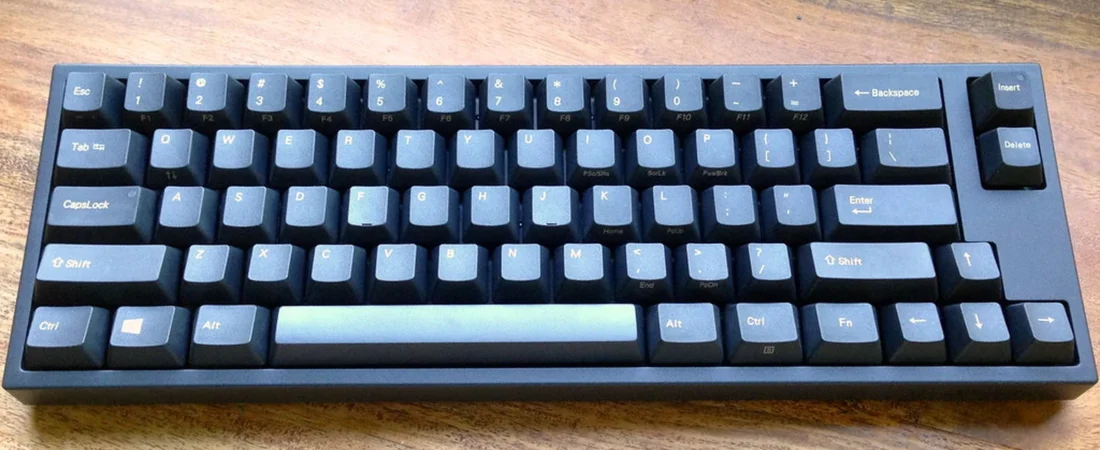
Featured image: “Leopold FC660C keyboard” by blakespot, licensed under CC BY 2.0. Original source. Cropped to 16:9.